 0:20
0:20Make room for
a quieter night.
64 sound worlds. An evening check-in.
A gentler morning, with room to reflect.
 Available now for iPhone

Find your kind
of quiet.
Rain at the window. The rhythm of the tide. A stream finding its way. Press play and stay a while.
20-second previews · Sound is off until you play0:20 0:20
0:20Distant Tide
Water 0:20
0:20Woodland Stream
WaterA little ritual.
All your own.
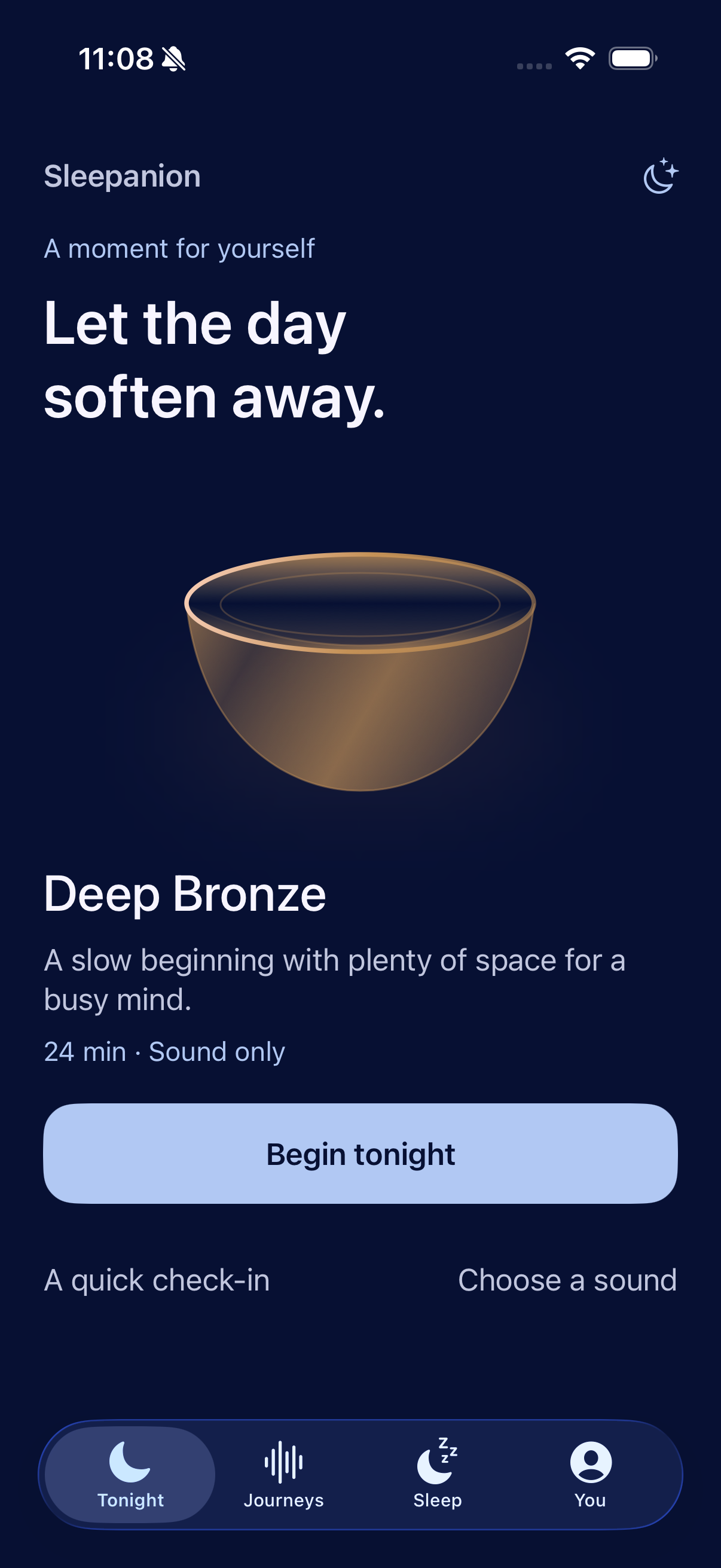
There’s no perfect way to wind down. Start with how you feel, and let the evening unfold.
Start where you are.
A short evening check-in helps you choose what feels right. No perfect routine required.
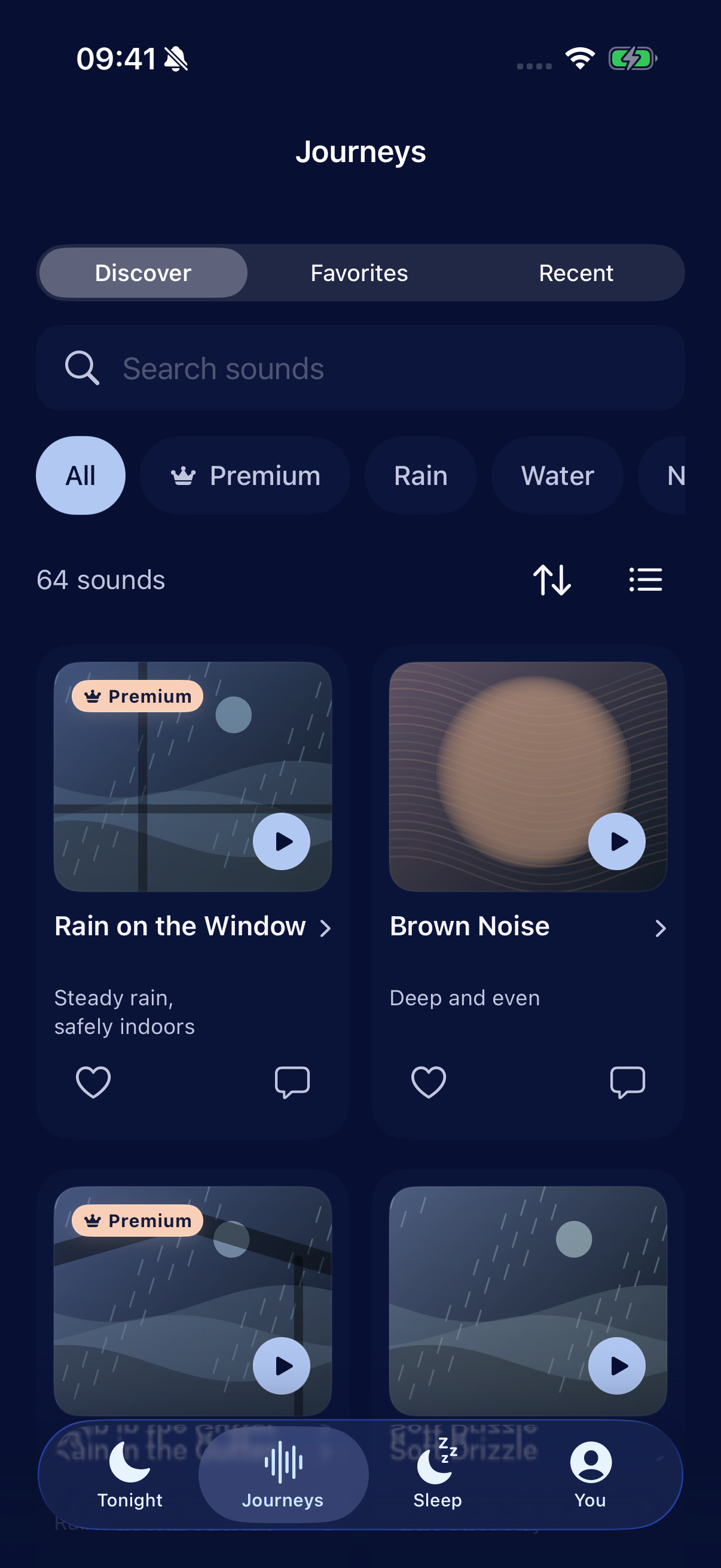
Let the sound stay.
Search the library, return to your favorites or revisit a recent sound. Press play and settle in.
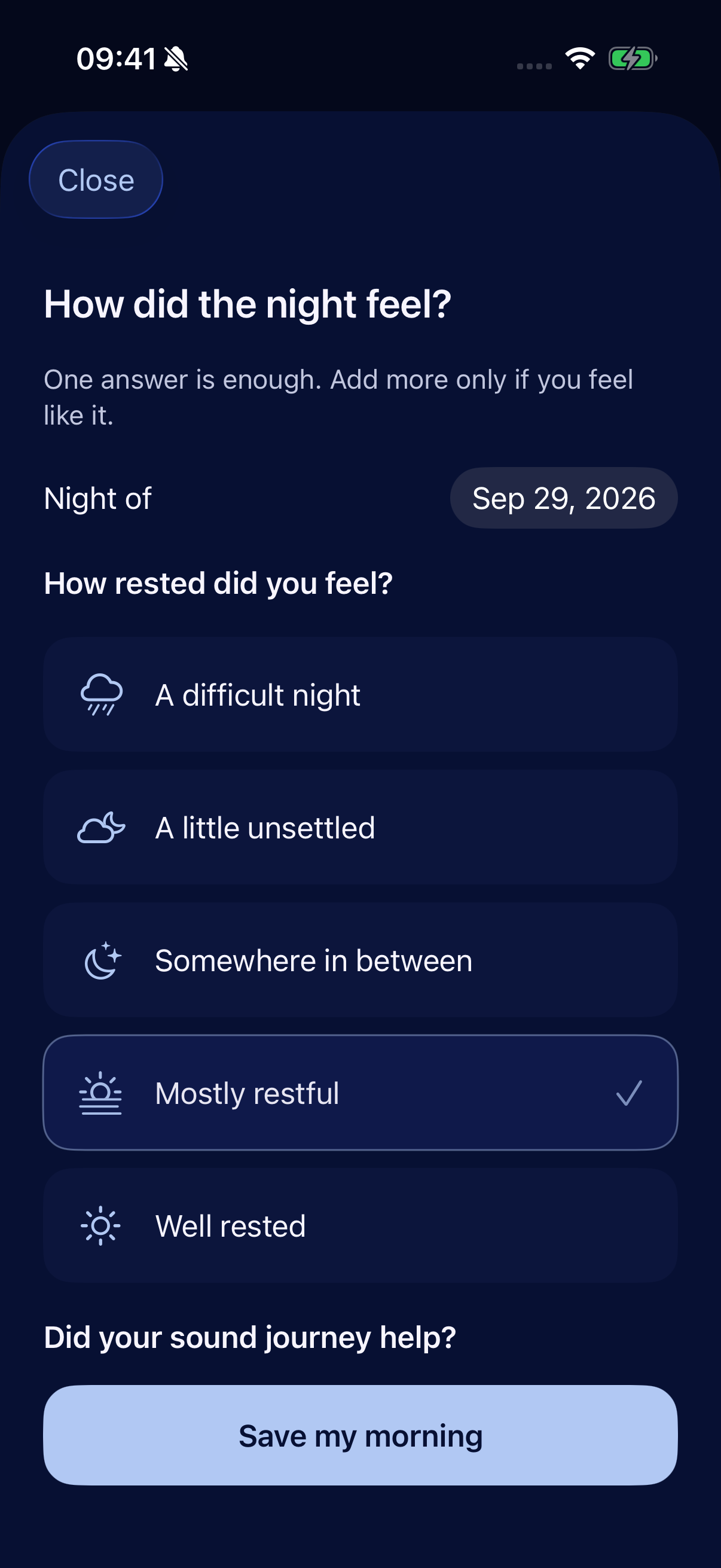
Meet the morning gently.
Reflect on your morning, add an optional energy check or a private note, and notice how your week felt.
Actual app screens. Reflections shown are illustrative.
Your nights, in perspectiveSee the night.
See the night.
Remember the morning.
Your own reflections. A record to look back on. And, if you choose, a clearer view of the sleep information already in Apple Health.
Sleep history
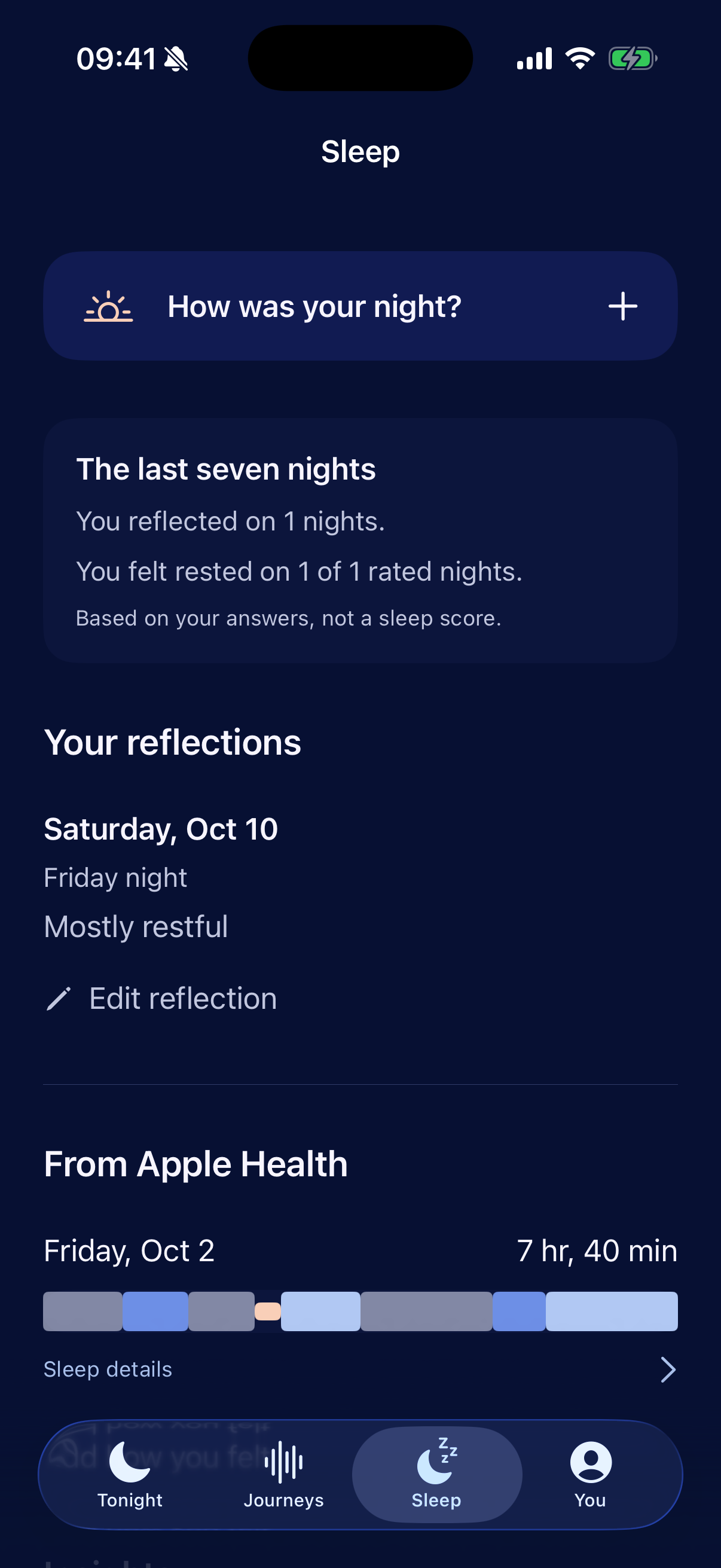
A little context for every night.
Look back over seven nights of morning reflections and revisit individual nights. Keep how you felt alongside your listening history, in one personal view.
Optional Apple Health
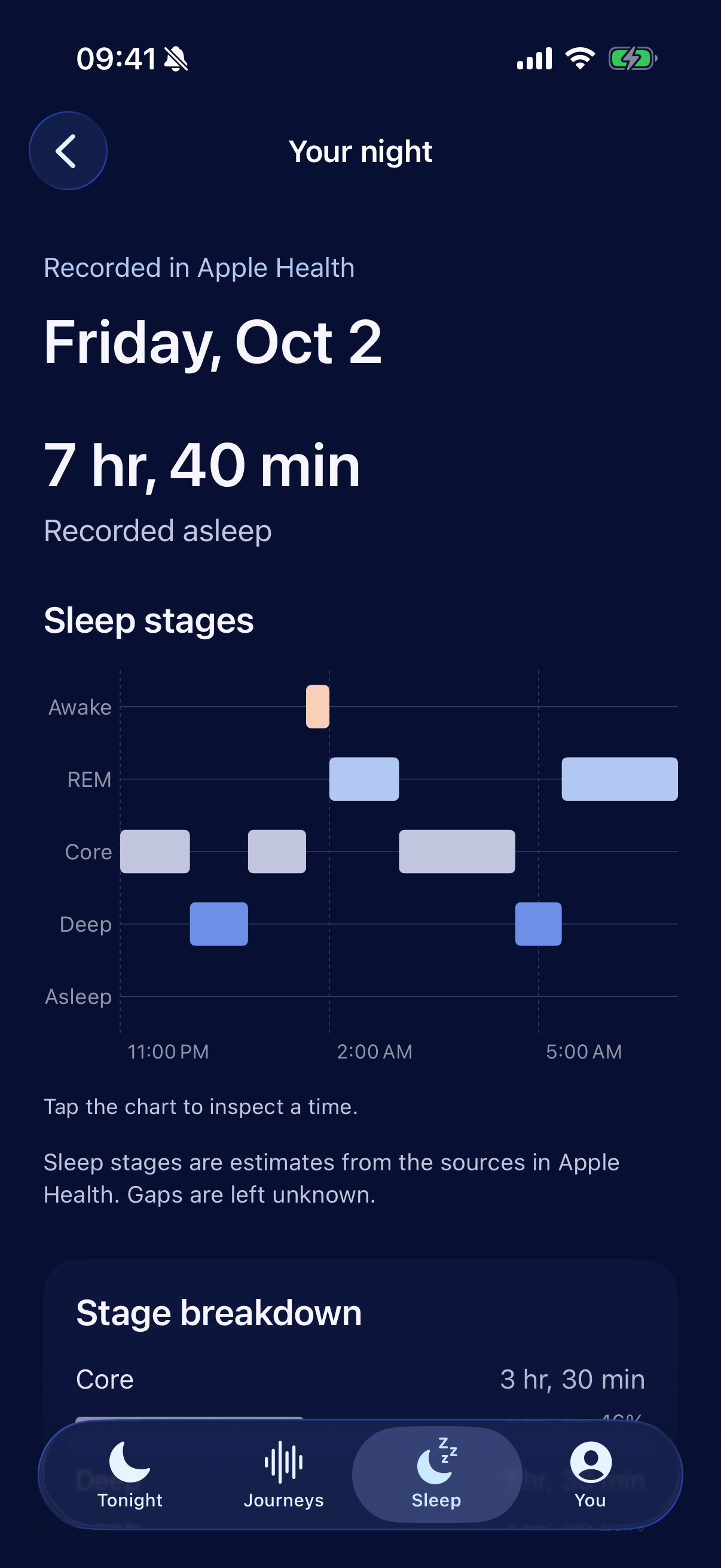
Understand the recorded night.
Open a night to explore available sleep stages, timing, source information and separate naps. See what was recorded, with missing information left unavailable.
Drift off.
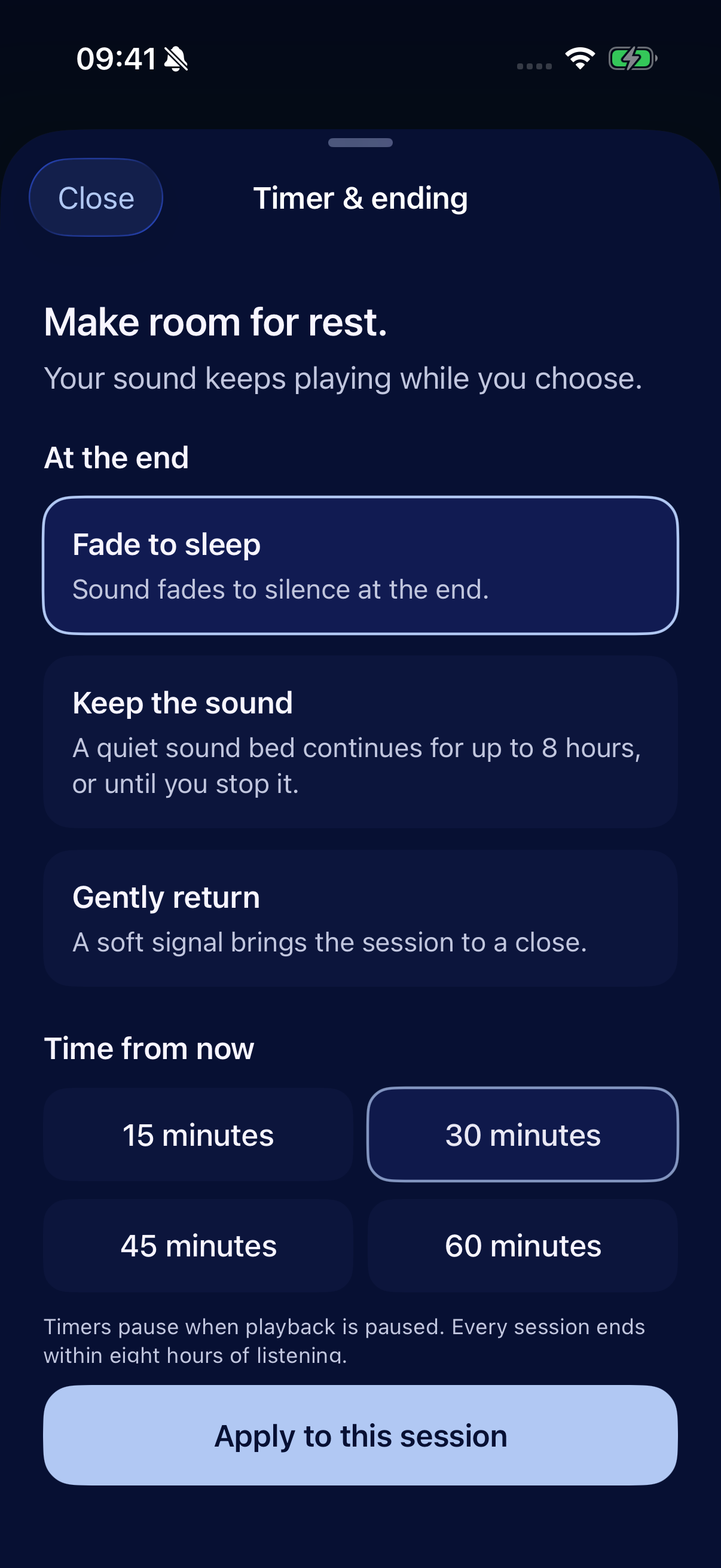
Or gently return.
A few minutes to yourself, or a longer pause. Adjust your timer while listening, then choose Fade, Stay or Return.
More room for
your everyday.
Small, thoughtful tools for the evening, the morning and everything you notice in between.
A familiar place to return.
Explore 64 sound worlds across rain, water, nature, tones, noise and comforting spaces. Search, save favorites and revisit your recently played sounds.
How it felt matters.
Make a morning reflection, with an optional energy check and private notes. Keep a personal record of your experience, in your own words.
Make space before bed.
Choose a bedtime reminder to help you return to your evening ritual. A small nudge, at a time that works for you.
Quiet that comes with you.
The sound library lives on your iPhone. After verified Apple or Google sign-in, a retained valid session lets you enjoy local listening offline.
Personal by nature.
Private by design.
Your check-ins, private notes and Apple Health sleep information stay on your iPhone.
Explore your privacyOn your iPhone
Check-ins, personal reflections
and optional Apple Health information.
In your account
Sign-in information and the sounds
you choose to save as favorites.
Personal wellness information stays local. The app uses AppsFlyer and limited Meta sharing for install and app-open measurement; this website uses no analytics trackers. Read our privacy policy for the full picture.
Where can I get Sleepanion?
Sleepanion is available now on the App Store for iPhone with iOS 18 or later. See the listing for current compatibility and purchase details. You can try three short sound previews here before downloading.
Do I need an account?
Yes. Sign in with Apple or Google before entering the app. Once your account has been verified on your iPhone, a retained valid session can allow local features to work offline.
Can I listen offline?
The app includes its sound library on your iPhone. Local listening works offline after verified sign-in. Signing in, account actions and App Store services require an internet connection.
Is Apple Health required?
No. Your sounds, check-ins and reflections work without it. If you choose to connect Apple Health, Sleepanion can show available sleep stages, source information and naps from your existing records. It reads on your iPhone, without uploading that information or writing sleep records.
Does Sleepanion track or diagnose my sleep?
Listening time is a record of time spent with sound, not measured sleep. Sleepanion does not infer sleep from playback or record your microphone. Your reflections describe how you feel, and optional Apple Health information comes from its original sources. Sleepanion is a wellbeing companion, not a medical device.
How do I manage my data or account?
Local data erasure, remote account deletion, Apple Health records and App Store subscriptions are separate choices. Our account and data guide explains what each one does.
The rest of the day
can wait.
Take a moment. Find a sound. Make yourself at home.

Available now for iPhone. Sign in with Apple or Google.
Sound & image credits
Previews are 20-second excerpts of recordings used in the app.
- Rain on the Window — Cori Samuel · Public domain
- Distant Tide — Andrew Holman · CC0 1.0
- Woodland Stream — Yuval · CC0 1.0
Landscape and sound artwork created for Sleepanion with AI. Product screenshots show the actual app.